The Keyboard Is Becoming Optional
A word-limit wall, a webinar surprise, and the quiet realization that I've stopped typing most of my own thoughts.
The Tutor Who Wasn't Typing
A few months into 2025, I signed up for a run of webinars on AI tools — the kind that promise to make you 10x more efficient, covering everything from AI-assisted PowerPoint generation to accelerating research on unfamiliar topics, to summarizing 100-plus-page reports in a matter of minutes. I went in the way most engineers do: mildly curious, mostly skeptical. What actually stopped me wasn't anything on the syllabus. It was the tutor.
He was moving through prompts at a pace that didn't add up. A four-line instruction — a role, a task, a couple of constraints — appeared in the chat window in under thirty seconds. I did the math in my head: even a fast typist needs three or four minutes for that. He wasn't typing at all. He was talking, and something on his screen was doing the rest.
That was the moment the keyboard stopped feeling mandatory!
Remembering When Typing Was the Skill
I started my career in an era where being good partly meant being fast — memorized IDE shortcuts, a typing speed you were quietly proud of, the reflex to jump into a Stack Overflow thread and know exactly what to search for. Talking to a machine meant typing at it, precisely, in its own syntax. There wasn't another way in.
Talking to AI Like You'd Brief an Intern
The habit that replaced typing looks a lot like something I already knew how to do: onboarding a new associate. You don't hand an intern a task with no context — you give them a role, a scope, and the thing that actually matters, then let them work.
Here's a prompt I dictated, almost word for word, while looking into a stock:
"Act as a senior equity research analyst at a top firm like JP Morgan or Goldman Sachs. I need you to evaluate the stock of Bharat Petroleum Corporation Limited (BPCL) for a coverage report.
Here is what I need in the evaluation:
- Valuation Check: Look at key price-to-value metrics such as P/E, P/B, and EV/EBITDA. Is the stock trading at a fair price compared to its historical averages and Indian PSU peers?
- Fundamental Snapshot: Highlight revenue trends, gross refining margins (GRMs), and debt levels over the last 3–4 quarters.
- Key Drivers & Risks: Briefly summarize 2-3 major growth catalysts (like refining capacity expansions or EV charging rollouts) and 2 major risks (like crude oil price volatility or government fuel pricing interventions).
- Recommendation Summary: Provide a clear Buy/Hold/Sell tilt along with a 12-month target price estimate based on your analysis.
Keep the tone objective, structured, and concise like an institutional research note."
Said out loud, in one breath, that's a persona, a task, and a set of criteria — exactly what I'd give a new hire before setting them loose on something. That's really the whole shift: the same briefing instinct, spoken instead of typed (but editted for perfection).
The Tool That Started It
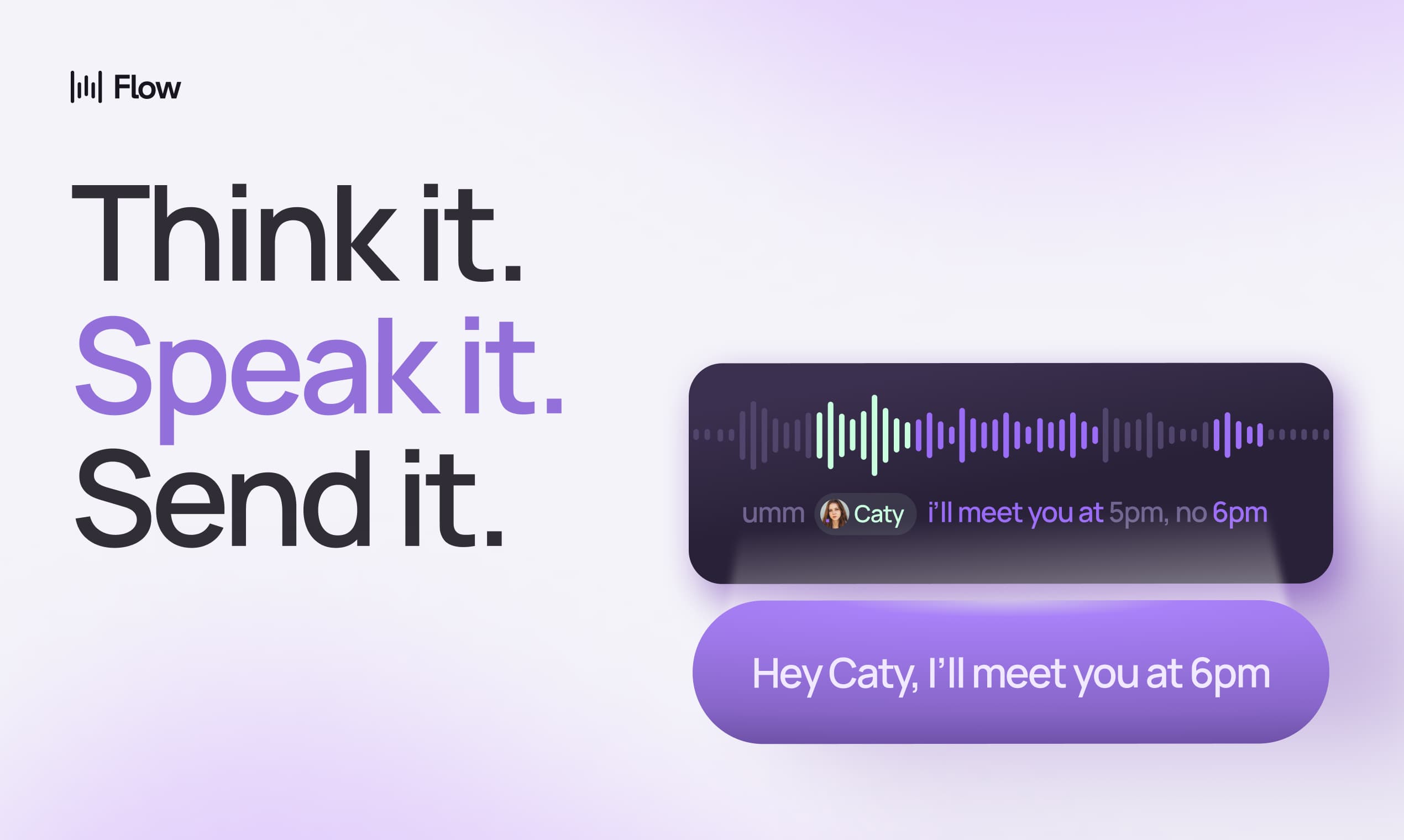
The tool behind that webinar turned out to be Wispr Flow — a standalone app for Windows, Mac, and Android that sits at the OS level rather than inside any single program. Trigger it with a shortcut, and a small floating indicator appears at the edge of your screen, listening. Wherever your cursor happens to be — a code editor, a Slack message, a form field — that's where the text lands. If it can't insert directly for some reason, it holds onto the transcript so you can copy it across.
I was hesitant to put a third-party listening tool on my office laptop, for the obvious reasons, but most of my actual work happens there, so eventually I did. The free tier gave me 2,000 words a week. Within a few weeks, I was burning through that allowance by Wednesday.
Why This Feels Different From Old Dictation Software
Dictation software has existed for years, and it was never very good — it captured words, not intent, and every stray "okay" or half-finished sentence made it into the transcript verbatim. What's different with AI-driven tools is that they interpret rather than transcribe: filler words get filtered out, self-corrections get resolved, and what lands on the page is closer to what you meant than what you literally said.
The conversion works well — genuinely well — but that doesn't mean it captures everything at 100% accuracy. There are usually a few corrections needed afterward: a line re-dictated, a phrase cleaned up, a prompt nudged into shape. Specific terminology, abbreviations, and uncommon keywords are the most likely to trip it up — sometimes they land exactly right, sometimes they don't, and you won't always know which until you read the output back.
Why Most People I've Told About This Haven't Used It
I've talked about Wispr Flow to friends, cousins, and teammates. The reaction is almost always the same — "oh, that's nice" — followed by nothing.  Out of my whole team, I can count the people who actually use speech-to-text for most of their daily work on one hand, and barely fill it.
Some of that is legitimate — strict policies around third-party tools on office systems rule it out for plenty of people. But for anyone who writes constantly for a living — engineers documenting incidents, anyone taking notes all day — I think it's a tool a lot of people are quietly missing out on.
Where I Actually Feel the Time Saved
The clearest example from my own work is incident documentation. A support ticket is rarely a one-liner — you're writing out what caused it, which event triggered it, a root-cause analysis, the fix, and the next steps, then posting all of it to JIRA and Slack. Typing that out and formatting it properly used to take me a solid ten to fifteen minutes per ticket. Now I talk through the same structure out loud, let Wispr Flow turn it into clean text, and I'm done in three or five minutes. That gap, repeated across a week of tickets, is the real argument here — not the novelty of talking to your computer, but the hours it quietly hands back.
Building My Own, for the Data I Didn't Want to Send Anywhere
The thing that nagged at me the whole time was where that audio was actually going. Dictating internal, sometimes sensitive, work details into a tool that processes on someone else's servers isn't something I was fully comfortable with long-term — especially once I started hitting Wispr Flow's word limits often enough to notice.
So I started building my own version — something local, something that never leaves the machine. What exists today is an early prototype: a lightweight Python wrapper around whisper.cpp, no LLM involved yet, handling the core loop of capturing speech and converting it into text. It isn't fully accurate, and it isn't meant to be finished — it's a working proof that the core idea holds. Right now it's just me and one teammate using it day to day, mostly to prove out capture and transcription before I touch anything more ambitious. Layering in an LLM for cleanup and context is next.
Where I Still Reach for the Keyboard
None of this means I've abandoned typing. Credentials, passwords, anything tied to a secure field — I still type those, deliberately, and I'd encourage anyone using these tools to do the same rather than get comfortable speaking sensitive information out loud. Overreliance on any one way of working has its own cost, and keeping the ability to just sit down and type, with no tool in the loop, still matters.

The Keyboard, Still There, Just Optional
I don't think there's a rule that says you have to speak instead of type — plenty of people will always prefer the keyboard, and that's a fine choice. But for me, the shift happened quietly enough that I didn't notice it until I looked back: these days, when a ticket needs a root-cause writeup, I talk it out loud faster than I could ever type it. That's really the whole shift, in one afternoon — not a replaced keyboard, just one that finally became optional.